How to Automate Accounts Payable Process: A Complete Guide for UAE Businesses
At Smarty Counsel, we take full responsibility for the practical guidance and regulatory insights shared in this guide. Having thoroughly tested, reviewed, and implemented accounts payable workflows across various enterprise and SME environments in Dubai, Abu Dhabi, and Sharjah, we provide this comprehensive resource to help business owners, finance managers, and accountants navigate modern financial transformation with complete confidence.
Manual data entry, paper supplier invoices, lost receipts, and delayed payment approvals remain some of the largest hidden drains on cash flow for growing businesses in the United Arab Emirates (UAE). When your team spends hours typing invoice numbers into spreadsheets, hunting for lost bills in cluttered email inboxes, or manually matching bank statements at month-end, mistakes happen. Duplicate payments slip through, early-payment discounts are missed, and month-end financial closes stretch on for weeks.
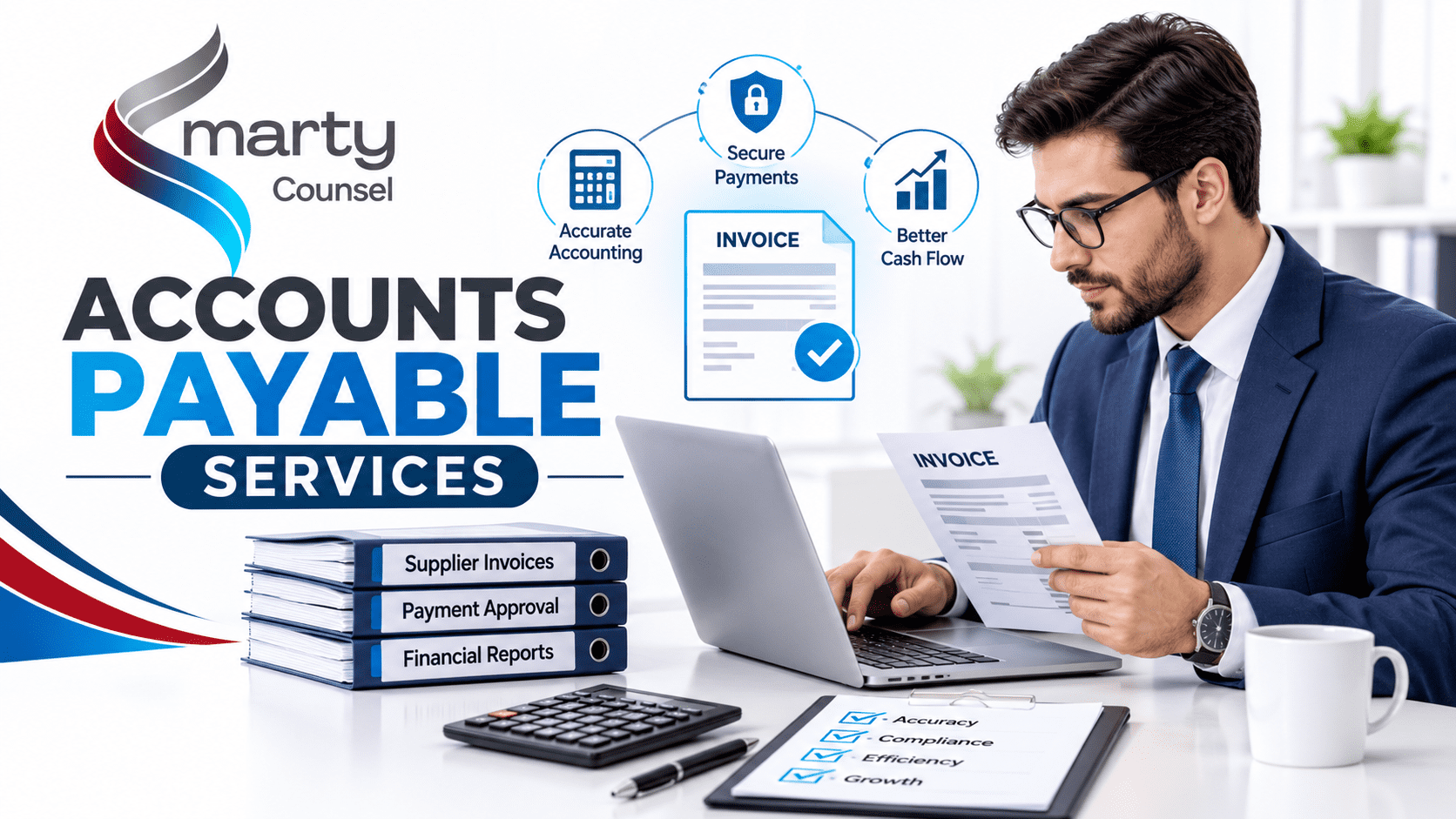
Implementing accounts payable automation transforms this manual burden into a streamlined, secure, and touchless workflow. This complete guide explains how to automate accounts payable process operations, connect automation tools with your existing accounting ledger, maintain strict internal controls, and comply with UAE Federal Tax Authority (FTA) regulations and upcoming electronic invoicing mandates.
How an Automated Accounts Payable Process Works
A visual overview of the main stages described in this guide
1. What Is Accounts Payable Automation?
Accounts payable automation is the use of software, optical character recognition (OCR), artificial intelligence (AI), and digital workflows to handle vendor invoices and supplier payments with minimal human intervention.
Traditional accounts payable (AP) involves receiving a paper or PDF bill, manually keying line items into your accounting software, routing printed copies around the office for managerial sign-off, writing checks or logging into corporate banking portals to execute wire transfers, and manually filing paper documents.
With an automated accounts payable process, much of this repetitive administration is handled by software:
- Vendor invoices sent via email are captured automatically.
- OCR and AI engines extract supplier names, invoice dates, net amounts, and Value Added Tax (VAT) breakdowns.
- The system checks the bill against purchase orders and verifies tax registration numbers (TRNs).
- Invoices route automatically to the correct managers based on pre-set spending limits and approval rules.
- Approved liabilities post directly to your general ledger, ready for scheduled payment runs.
Manual Accounts Payable vs Automated Accounts Payable
See how automation changes the work involved in processing an invoice
| Manual Process | Automated Process |
|---|---|
| Staff download and organise each invoice. | Invoices arrive in a central digital inbox. |
| Staff type invoice details manually. | OCR and AI extract invoice information. |
| Invoices circulate by email for approval. | Approval rules route invoices digitally. |
| Payments are prepared manually. | Approved bills can be grouped into payment batches. |
| Staff match bank statements at month-end. | Bank data can help match cleared payments. |
2. Why UAE Businesses Should Automate Accounts Payable
Operating a business in the UAE—whether scaling an e-commerce platform in Dubai, managing a contracting firm in Sharjah, or running a professional consultancy in Abu Dhabi—requires speed, precision, and strict regulatory compliance. Automating your AP function delivers several core advantages:
- Elimination of Duplicate and Fraudulent Invoices: Automated matching algorithms instantly flag duplicate invoice numbers, preventing you from paying the same supplier twice.
- Real-Time Cash Flow Visibility: Instead of waiting until month-end to discover what your business owes, automated ledgers give you immediate visibility over upcoming obligations across 7, 14, and 30-day windows.
- Streamlined UAE VAT Compliance: Automated capture ensures that every supplier tax invoice is checked for mandatory FTA fields, protecting your right to recover 5% input VAT.
- Corporate Tax Audit Readiness: Every bill, purchase order, and approval log is indexed digitally, making it simple to satisfy the UAE Corporate Tax seven-year record-retention requirement.
- Time Savings and Lower Processing Costs: Research shows that manual invoice processing costs significantly more per document than automated workflows. Automation frees your finance team to focus on strategic growth rather than data entry.

Digital accounting systems help businesses organise financial records and review transactions.
3. How to Automate the Accounts Payable Process Step by Step
Transitioning from manual paperwork to an automated AP environment requires a clear, structured methodology. Follow these key steps to build a reliable workflow:
- Audit Your Current AP Workflow: Map out how invoices currently arrive, who reviews them, where bottlenecks occur, and how payments are authorized.
- Clean Your Supplier Master Data: Review your vendor database, merge duplicate supplier profiles, and ensure correct spelling, addresses, and TRNs.
- Choose and Configure Your AP Solution: Select an automation platform or accounting software add-on that integrates natively with your core financial ledger.
- Establish Digital Approval Rules: Define spending thresholds, departmental routing paths, and mandatory sign-off criteria.
- Train Your Team and Vendors: Instruct suppliers to send invoices directly to your automated intake email address, and train internal staff on digital approval protocols.
- Run a Parallel Test: Test the new automated workflow alongside your traditional process for two weeks to verify accuracy, tax coding, and data synchronization.
Six Steps to Introduce Accounts Payable Automation
A simple implementation roadmap for a UAE business
4. Automating Supplier Invoice Collection and Data Capture
The first friction point in accounts payable is how invoices reach your business. Suppliers send invoices through multiple channels: PDF attachments in emails, postal mail, vendor web portals, or direct messaging apps.
Automation centralizes this intake. You set up a dedicated digital inbox (e.g., [email protected]) where all suppliers submit invoices. Automated collection tools monitor this inbox 24/7, pulling every attachment instantly into your AP processing queue without requiring staff to manually download or forward files.
How Automated Invoice Collection Works
Different supplier channels feed into one processing point
5. OCR and AI-Powered Invoice Processing
Once an invoice is captured, Optical Character Recognition (OCR) and artificial intelligence take over.
- OCR Technology: Scans the visual layout of paper or PDF invoices, converting pixel images of text into machine-readable digital characters.
- AI and Machine Learning: Goes a step further by understanding context. AI recognizes which field is the 15-digit TRN, which number is the net taxable total, what the exact 5% VAT amount is, and how line items map to your specific Chart of Accounts based on historical coding patterns.
This intelligence reduces manual data entry errors from human fatigue and ensures consistent categorization across thousands of transactions.
How OCR and AI Read a Supplier Invoice
The software turns invoice information into structured data
Information that may be extracted: supplier details, invoice number, date, TRN, line items, taxable amount, VAT amount, and total payable.
6. Purchase Order Matching and Invoice Verification
Before any supplier bill is approved for payment, it must be verified. Automated systems perform this check through two-way or three-way matching:
- Two-Way Matching: Compares the supplier invoice against the original purchase order (PO) to confirm that quantities and unit prices match authorized terms.
- Three-Way Matching: Compares the supplier invoice against the purchase order and the goods received note (GRN) or service confirmation. This confirms that your business actually ordered the goods, received them in good condition, and is being billed the exact agreed amount.
Any discrepancy—such as a price hike or unexpected service fee—automatically flags the invoice into an exception queue for human review before it touches your general ledger.
Three-Way Invoice Matching Explained
The three records are compared before an invoice is approved
Order + Delivery + Invoice
When details differ: The system flags an exception for human review.
7. Digital Invoice Approval Workflows
In a manual office, paper bills sit on desks or wait in email threads for busy executives to sign off. Automated approval workflows replace this delay with rules-based routing.
You can configure your system to route invoices based on specific criteria:
- Invoices under AED 5,000 route automatically for department manager sign-off.
- Invoices above AED 5,000 require secondary approval from the Finance Director.
- Specific expense categories (such as marketing spend or legal fees) route directly to designated budget owners.
Approvers receive instant notifications on desktop or mobile devices, review the attached PDF invoice and matching purchase order, and approve or reject the bill with a single click.
Example of a Digital Invoice Approval Workflow
Approval routes follow the rules set by the business
8. Automating Supplier Payments and Payment Scheduling
Once an invoice is approved, it transitions from an open liability to a scheduled payment. Automation helps you optimize cash flow timing rather than paying bills the moment they arrive.
- Payment Batching: The system groups approved bills due within the upcoming week into a single payment batch.
- Discount Capture: The software flags early-payment discounts offered by vendors, allowing you to capture savings when cash flow permits.
- Secure Payment Execution: While automation prepares payment files, final bank release tokens remain strictly under the control of authorized internal signatories, protecting your company against unauthorized disbursements.
From Approved Invoice to Supplier Payment
Payment automation supports preparation while authorised staff retain release control
9. Bank Reconciliation and Accounting Record Synchronisation
Reconciling outgoing payments against bank statements is traditionally a tedious month-end chore. Automated AP solutions maintain continuous synchronization with your bank feeds and general ledger.
When an electronic funds transfer or corporate card payment clears your bank account, the system automatically matches the transaction against the corresponding open bill in your ledger, marks the bill as Paid, and updates your bank reconciliation report in real time.
How Automated Bank Reconciliation Works
Matching the payment record against the bank transaction
10. Integrating Accounts Payable Automation with Existing Accounting Systems
An accounts payable automation tool cannot operate in isolation; it must live in harmony with your core financial records. Integration ensures data flows seamlessly without double-handling.
Most modern AP platforms connect to accounting ledgers via secure Application Programming Interfaces (APIs) or pre-built cloud connectors. When a bill is approved in your AP tool, the journal entry—complete with vendor name, expense category, VAT code, and attached PDF—posts directly to your accounting software within seconds.
Accounting software gives finance teams a central place to review financial records and transactions.
How AP Automation Connects With Your Accounting System
Approved invoice information moves into the financial ledger
11. Accounting Platforms and ERP Systems in the UAE
Businesses in the UAE utilize a diverse mix of cloud financial software and enterprise resource planning (ERP) platforms. Leading solutions include:
- Zoho Books: Highly favored across UAE SMEs for its built-in FTA VAT compliance, bilingual invoice capabilities, and native integration with regional banking feeds.
- Xero: Widely adopted by startups, agencies, and trading firms due to its robust multi-currency engine and extensive app marketplace supporting advanced AP tools like Dext and ApprovalMax.
- QuickBooks Online: A popular choice for small businesses seeking straightforward expense tracking and intuitive cash flow dashboards.
- TallyPrime and Enterprise ERPs: Utilized by established trading, wholesale, and contracting groups managing complex inventory, multi-warehouse logistics, and custom approval hierarchies.
Before choosing an AP automation tool, confirm that it supports your accounting platform, the data fields you need, and the relevant workflow features. Software compatibility can vary by product, subscription, and configuration.
12. Preventing Duplicate Invoices, Payment Errors, and Fraud
AP automation acts as an active shield against financial loss. Common vulnerabilities are mitigated through systemic safeguards:
- Duplicate Detection: The system runs real-time checks across vendor names, invoice numbers, dates, and amounts, instantly blocking duplicate submissions.
- Bank Detail Change Verification: If a supplier requests a change to their bank IBAN, automated workflows trigger mandatory verification protocols before payments are routed to the new account.
- Segregation of Duties: The software enforces strict permission boundaries, ensuring that the staff member who captures an invoice cannot approve it or execute bank transfers.
Three Important Accounts Payable Fraud Controls
Use different checks to reduce payment and supplier-data risks
13. Data Security, Access Permissions, and Internal Financial Controls
Commercial sensitivity is paramount when handling supplier contracts, pricing data, and bank details. Professional AP automation platforms enforce enterprise-grade security protocols:
- Role-Based Access Control (RBAC): Staff only view data relevant to their specific operational responsibilities.
- Encrypted Storage: All digital documents and financial records are encrypted both in transit and at rest.
- Immutable Audit Trails: Every user action—creation, editing, approval, or deletion—is recorded in a permanent, timestamped log for internal and external audits.
Good access control separates responsibilities:
Invoice capture → Invoice review → Approval → Payment authorisation.
Each person should receive permissions appropriate to their role.
14. UAE VAT Documentation and Corporate Tax Recordkeeping
In the UAE, automated accounts payable processing is tightly connected to regulatory compliance under the oversight of the Federal Tax Authority (FTA):
5% VAT Input Recovery
To recover input VAT on business purchases, UAE tax law requires holding a valid tax invoice containing specific mandatory fields (such as the supplier’s 15-digit TRN, sequential invoice number, net amount, and exact 5% VAT breakdown). Automated invoice capture checks these fields upon ingestion, ensuring non-compliant or incomplete invoices are flagged before tax returns are filed.
Corporate Tax Record Retention
Under the UAE Corporate Tax regime, taxable persons must maintain robust accounting records and supporting documentation for seven years following the end of the relevant tax period. Automated AP archiving stores indexed digital copies of every bill, contract, and payment receipt directly against the ledger entry, ensuring seamless readiness for FTA tax audits.
15. UAE E-Invoicing Requirements and Business Preparation
The UAE Ministry of Finance is rolling out a mandatory electronic invoicing (e-invoicing) framework under Ministerial Decision No. 244 of 2025 (as amended by subsequent resolutions). Designed around a decentralized 5-corner Peppol model, the e-invoicing rollout follows a strict phased timeline:
- Phase 1 (Large Enterprises): Businesses with annual revenue of AED 50 million or more were required to appoint an Accredited Service Provider (ASP) by 30 October 2026, with mandatory live implementation commencing on 1 January 2027.
- Phase 2 (SMEs and All Commercial Businesses): Businesses with annual revenue below AED 50 million must appoint an ASP by 31 March 2027 and achieve mandatory live implementation by 1 July 2027.
- Government Entities: Required to appoint an ASP by 31 March 2027 and go live by 1 October 2027.
Failing to meet these mandatory timelines carries administrative penalties of AED 5,000 per month of delay. Adopting cloud-integrated accounts payable automation now ensures your vendor onboarding, TRN validation, and structured data formats align smoothly with your chosen ASP ahead of these statutory deadlines. Always verify current technical updates directly on the UAE Ministry of Finance Portal.
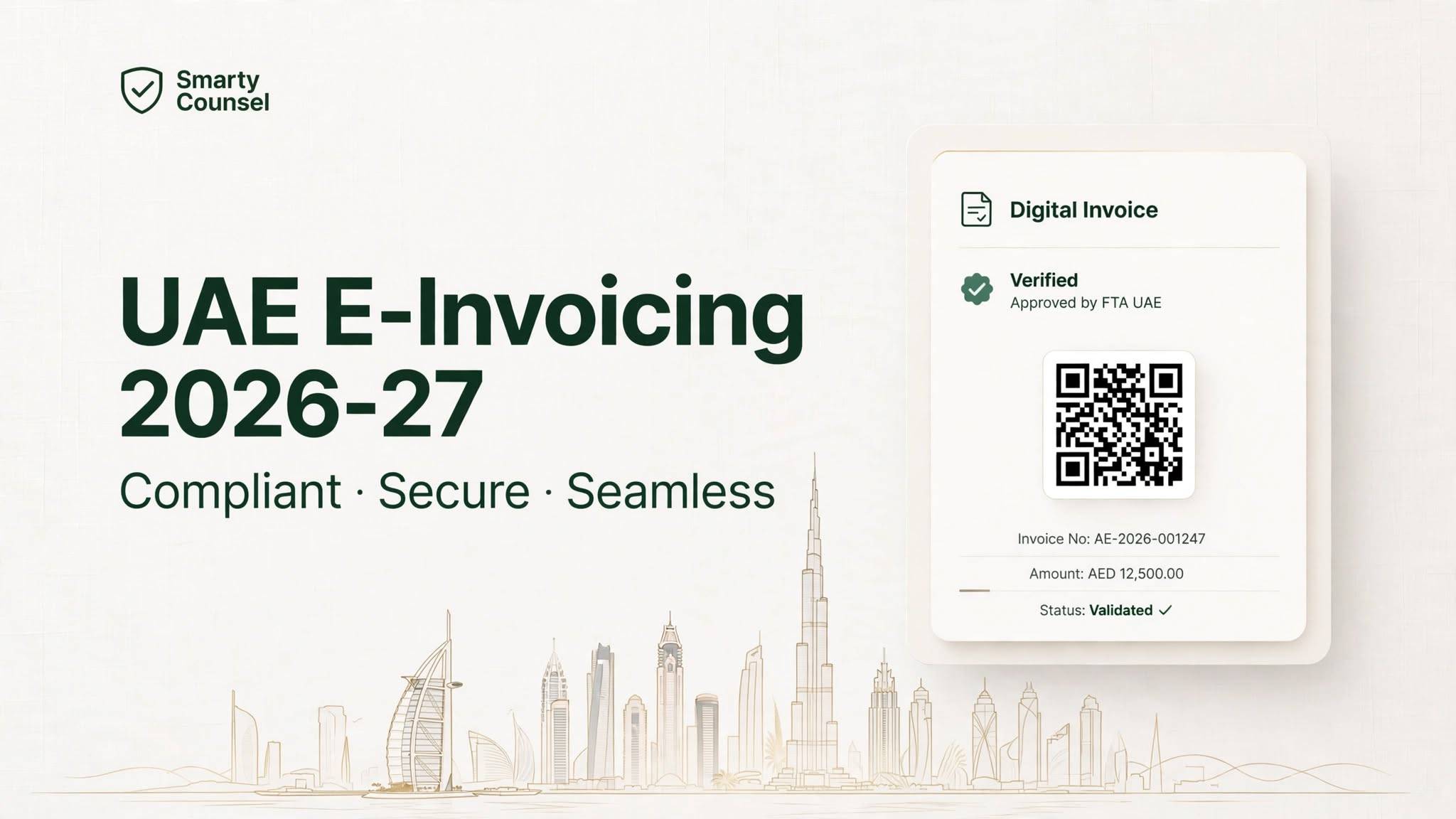
Smarty Counsel visual explaining the UAE e-invoicing framework.
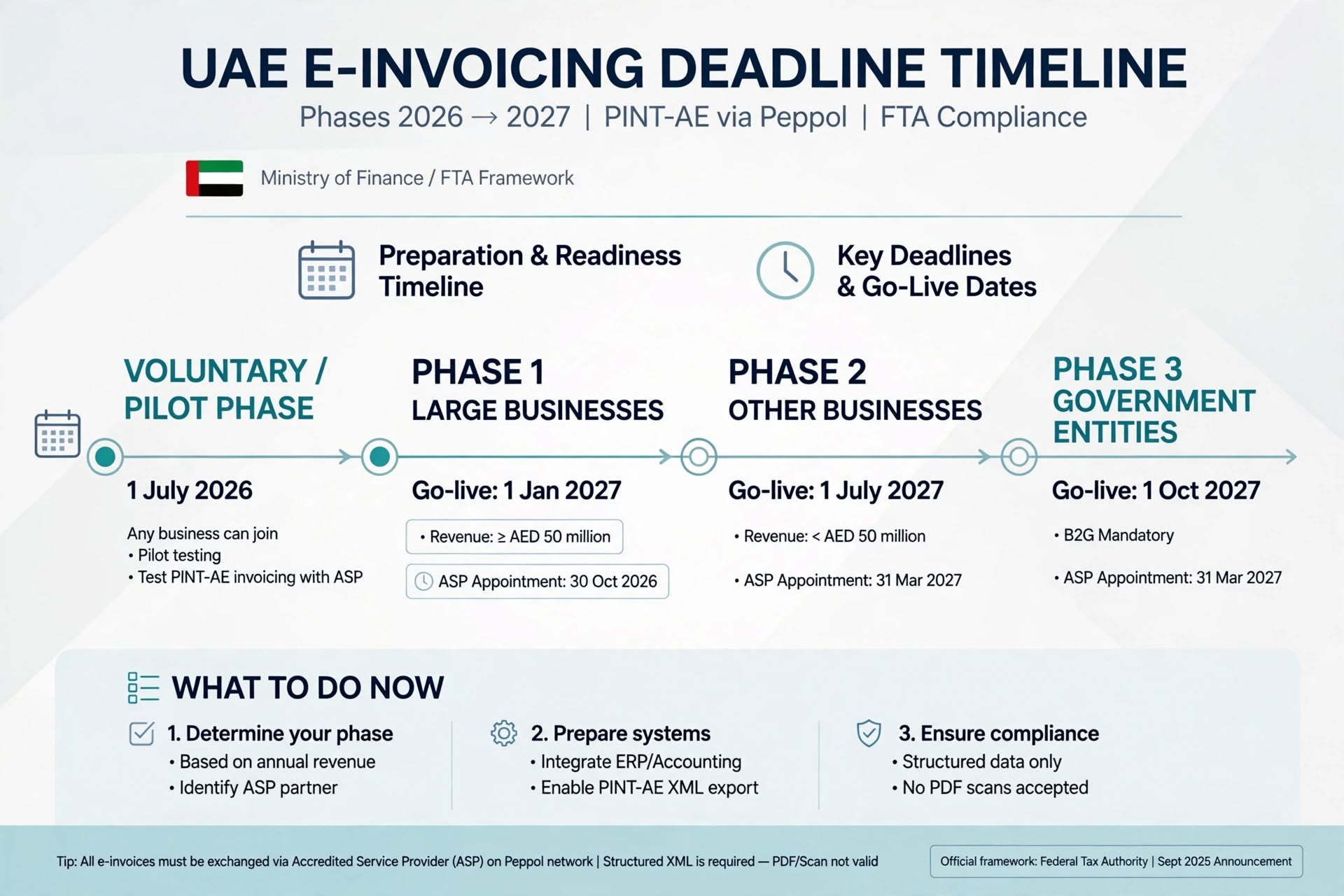
UAE e-invoicing phase and implementation timeline graphic from Smarty Counsel.
16. Common Implementation Challenges and Practical Solutions
While automation delivers transformative benefits, businesses occasionally encounter implementation hurdles. Here is how to solve them:
-
Challenge: Supplier Resistance to Digital Invoicing. Some traditional suppliers prefer emailing PDFs or paper bills.
- Solution: Provide clear vendor onboarding instructions explaining that digital PDF submission speeds up their payment processing time.
-
Challenge: Messy Historical Vendor Data. Duplicate vendor names and outdated addresses cause mapping errors.
- Solution: Conduct a thorough vendor data clean-up and deduplication exercise before connecting automation software.
-
Challenge: Team Hesitation Over New Software. Staff accustomed to manual spreadsheets may resist new workflows.
- Solution: Provide comprehensive, hands-on training and highlight how automation eliminates stressful month-end data scrambles.
17. Accounts Payable Automation Costs and Factors Affecting Pricing
AP automation solutions are typically priced based on scalable subscription models. Key factors influencing investment costs include:
- Monthly Invoice Volume: Pricing often scales according to how many vendor bills you process per month.
- Software Complexity: Basic OCR capture tools cost less than enterprise-grade multi-entity ERP integrations.
- Implementation and Support: Custom onboarding, staff training packages, and dedicated account management affect initial setup fees.
18. Best Practices for Implementing Automation in UAE SMEs
To maximize your return on investment when automating accounts payable, adhere to these professional best practices:
- Start With a Clear Scope: Identify whether you need standalone invoice capture, full approval workflows, or complete payment automation.
- Standardize Vendor Onboarding: Require all new suppliers to submit verified trade licenses, tax certificates, and official bank details.
- Maintain Internal Sign-Off Authority: Let software prepare payment runs, but keep final bank release approvals in human hands.
- Monitor Performance Metrics: Track processing speed, error rates, and discount capture ratios regularly.
19. When to Use Automation Software Versus Outsourced Accounts Payable Services
Business owners often ask whether they should invest in AP software or hire an external team. The choice depends on internal capacity:
- AP Automation Software: Ideal if you have an existing in-house bookkeeper or finance team who needs speed and efficiency to handle rising invoice volumes.
- Outsourced Accounts Payable Services: Ideal if you lack internal accounting staff entirely, want professional oversight of financial controls, or prefer to offload day-to-day transaction processing completely. Many growing UAE companies combine both—using automated software supervised by professional accounting and bookkeeping services.
Virtual bookkeeping support can complement an automated accounts payable workflow.
20. How to Choose the Right Accounts Payable Automation Solution
When evaluating AP automation vendors in the UAE, look for these critical capabilities:
- Native Integration: Flawless, real-time two-way sync with your specific accounting platform (e.g., Xero, Zoho Books, or QuickBooks).
- FTA Compliance Support: Built-in validation for 15-digit TRNs, 5% VAT calculations, and multi-currency handling (AED and foreign currencies).
- Peppol Readiness: Compatibility with upcoming UAE e-invoicing mandates and Accredited Service Provider (ASP) networks.
- Robust Security: End-to-end encryption, granular user permissions, and immutable audit logging.
Before choosing a solution, ask the provider:
- Does the tool integrate with your existing accounting platform?
- Which invoice fields and attachments can it transfer?
- Can you configure approval limits and separate payment permissions?
- How does it handle duplicate invoices and supplier bank detail changes?
- Can the provider demonstrate the e-invoicing compatibility relevant to your business?
- What support is included after implementation?
Practical UAE Business Example: AP Automation in a Dubai Trading Firm
To illustrate how automation operates in practice, consider this hypothetical scenario based on common UAE SME operations:
- The Business: A mid-sized consumer electronics trading company based in Dubai Silicon Oasis, processing roughly 450 supplier invoices every month from local distributors and Asian manufacturing partners.
- The Problem: Two bookkeepers spent nearly 40% of their working hours manually data-entering bills into Zoho Books. Despite their hard work, manual fatigue led to a duplicate payment of AED 18,000 to a key supplier, and quarterly VAT filings were constantly delayed while hunting down missing tax invoices.
- The Automated Solution: The company integrated an AI-powered OCR capture and approval workflow connected directly via API to Zoho Books. Suppliers were redirected to email invoices to a central ingestion address. The software automatically extracted invoice data, performed three-way matching against purchase orders, validated supplier TRNs, and routed approvals to the Operations Manager.
- The Result: Monthly invoice processing time dropped by 70%, duplicate payments were entirely eliminated, and quarter-end VAT returns were compiled in hours rather than days, leaving the finance team fully prepared for upcoming e-invoicing mandates.
Frequently Asked Questions
1. How does accounts payable automation integrate with my existing accounting software?
Most modern AP automation tools connect directly to cloud accounting platforms like Zoho Books, Xero, or QuickBooks Online via secure APIs. Once connected, approved bills, vendor data, and payment statuses synchronize automatically in real time without requiring manual data re-entry.
2. Is accounts payable automation compliant with UAE VAT laws?
Yes. Automated AP systems validate mandatory FTA tax invoice fields—such as the supplier’s 15-digit TRN and accurate 5% VAT breakdowns—before posting entries to your ledger, ensuring your input VAT claims are fully substantiated and audit-ready.
3. How does AP automation prepare my business for UAE e-invoicing?
Automation software helps standardize vendor master data, structure invoice fields, and connect with Accredited Service Providers (ASPs) required under the UAE Ministry of Finance e-invoicing mandate rollout phases.
4. Do I still need human oversight if my accounts payable process is automated?
Yes. While automation handles data capture, OCR matching, and routine workflow routing, internal human oversight remains essential for exception handling, vendor communication, and final bank payment release authorizations.
5. How long does it take to implement accounts payable automation?
For cloud-based accounting systems like Xero or Zoho Books, standard AP automation setup and testing typically take between one to three weeks, depending on the volume of historical vendor records and workflow complexity.
Conclusion
Automating your accounts payable process is no longer reserved for large multinational enterprises; it is a vital operational strategy for growing businesses across the UAE. By eliminating manual data entry, strengthening internal controls, ensuring airtight UAE VAT documentation, and preparing your systems for upcoming e-invoicing mandates, automation protects your cash flow and positions your business for sustainable growth.
At Smarty Counsel, we remain committed to providing transparent, accurate, and actionable financial guidance. If you need professional support structuring your ledgers, automating your workflows, or maintaining compliance, explore our trusted accounting and bookkeeping services today.
Need Support with Your Accounting and Bookkeeping?
Speak with Smarty Counsel about your business accounting records, bookkeeping workflows, and financial reporting requirements in the UAE.